
Tags
Tags are powerful organizational labels that help categorize and surface content to your viewers. They can be automatically applied based on system metrics or manually assigned.
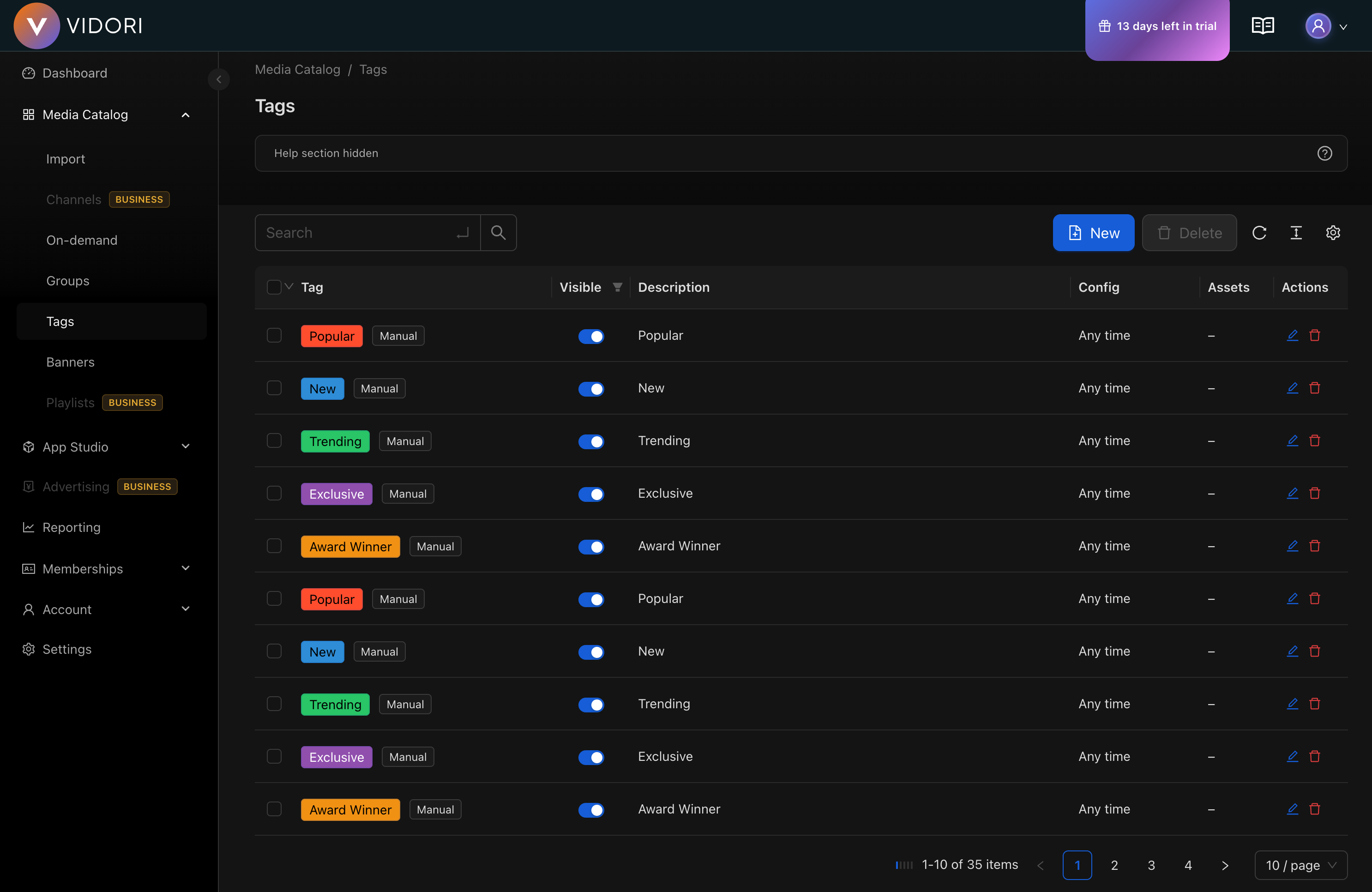
Tag Types
Section titled “Tag Types”Vidori supports several tag types, each with different assignment behaviors:
| Tag Type | Assignment | Use Case |
|---|---|---|
| Manual | Assigned by you | Custom labels like “Editor’s Pick” |
| New | Auto-assigned | Recently published content |
| New Episode | Auto-assigned | Series with new episodes |
| Popular | Auto-assigned | High-performing content |
| Trending | Auto-assigned | Currently gaining traction |
| Recommended | Auto-assigned | Personalized suggestions |
| Paid / Free | Auto-assigned | Content availability |
Creating a Tag
Section titled “Creating a Tag”-
Navigate to Tags
Go to Catalog → Tags and click Create Tag.
-
Configure Basic Settings
- Enter a tag name (supports multiple languages)
- Choose a tag type (Manual, New, Popular, etc.)
- Select target content types (Movies, Series, News)
-
Set Visual Appearance
- Choose a background color
- Set the text color for readability
- Toggle visibility (visible tags show on content tiles)
-
Configure Auto-Assignment (for automatic tags)
Set thresholds based on tag type:
- New: Days since publishing (e.g., last 7 days)
- Popular: Ranking percentile and minimum views
- Trending: Similar metrics for trending content
-
Save and Apply
Click Save. The tag will automatically apply to matching content.
Automatic Tag Configuration
Section titled “Automatic Tag Configuration”New Content Tags
Section titled “New Content Tags”Configure when content is considered “new”:
- Today - Published in the last 24 hours
- Last Week - Published in the last 7 days
- Last Month - Published in the last 30 days
- Last 90 Days - Published in the last 3 months
Popularity Tags
Section titled “Popularity Tags”Set thresholds for popular content:
- Ranking Percentile - Top X% of content by views
- Minimum Views - Minimum view count required
- Time Window - Period to calculate rankings
Manual Tag Assignment
Section titled “Manual Tag Assignment”For manual tags, you can assign content in two ways:
- From the tag settings - Link to specific content groups
- From content details - Add tags directly to individual assets
Tag Visibility
Section titled “Tag Visibility”Tags can be:
- Visible - Displayed on content tiles in your apps
- Invisible - Used for internal organization only
Invisible tags are useful for filtering content in layouts without showing labels to viewers.
Best Practices
Section titled “Best Practices”- Use consistent naming conventions across tags
- Limit visible tags per content item (1-2 is ideal)
- Review automatic tag thresholds periodically
- Use descriptive names that resonate with your audience