
Tags
Tags are organizational labels that help surface content to your viewers. Each tag follows a rule that Vidori evaluates automatically — once a day — and applies to every title that matches. You choose the rule; the system keeps the tag’s titles up to date.
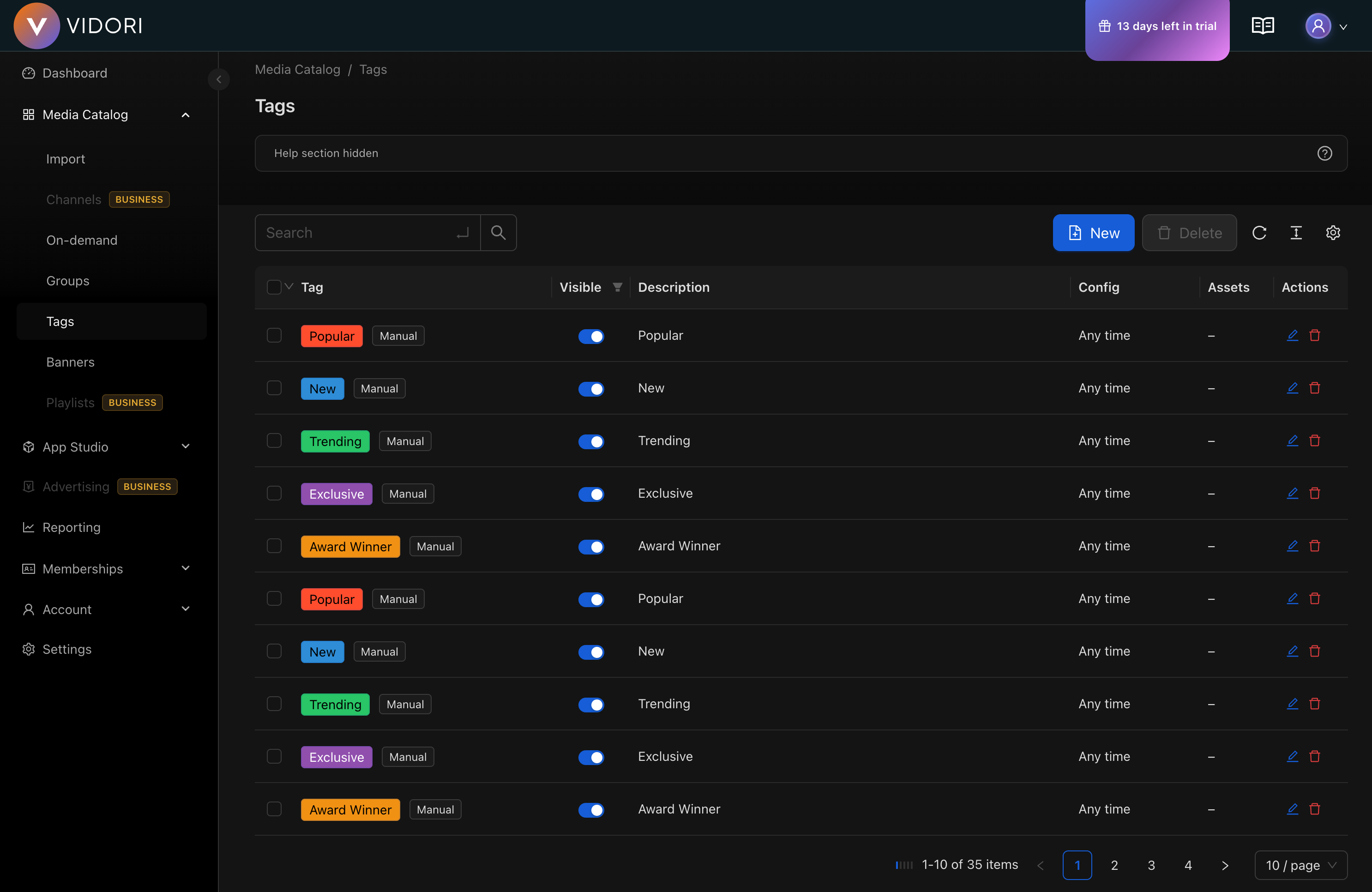
Tag Types
Section titled “Tag Types”Every tag type is automatically assigned. You pick the type that matches the rule you want, and Vidori keeps it applied to the right titles:
| Tag Type | Applies to |
|---|---|
| New | Recently published content |
| New Episode | Series with recently published episodes |
| Popular | High-performing content |
| Trending | Content currently gaining traction |
| Recommended | Personalized suggestions |
| Paid / Free | Content based on its availability |
| Membership Tier | Content in specific membership tiers |
Creating a Tag
Section titled “Creating a Tag”-
Navigate to Tags
Go to Catalog → Tags and click Create Tag.
-
Configure Basic Settings
- Enter a tag name (supports multiple languages)
- Choose a tag type (New, Popular, Trending, etc.)
-
Set Visual Appearance
- Choose a background color
- Set the text color for readability
- Toggle visibility (visible tags show on content tiles)
-
Configure the Rule
Some tag types take a threshold:
- New / New Episode: days since publishing (e.g., last 7 days)
- Popular / Trending: ranking percentile and an optional minimum view count
The remaining types (Recommended, Paid, Free, Membership Tier) need no extra configuration.
-
Save
Click Save. Vidori applies the tag to matching titles and refreshes it automatically each day.
Configuring the Rule
Section titled “Configuring the Rule”New Content Tags
Section titled “New Content Tags”For New and New Episode tags, set Days Since Publishing — titles published within that many days are tagged (for example, 7 for the last week).
Popularity Tags
Section titled “Popularity Tags”For Popular and Trending tags, set:
- Top Percentile - Tag the top X% of content by score
- Minimum Views - An optional floor on view count before a title qualifies
Tag Visibility
Section titled “Tag Visibility”Tags can be:
- Visible - Displayed on content tiles in your apps
- Invisible - Used for internal organization only
Invisible tags are useful for filtering content in layouts without showing labels to viewers.
Best Practices
Section titled “Best Practices”- Use consistent naming conventions across tags
- Limit visible tags per content item (1-2 is ideal)
- Review automatic tag thresholds periodically
- Use descriptive names that resonate with your audience