
Advertising
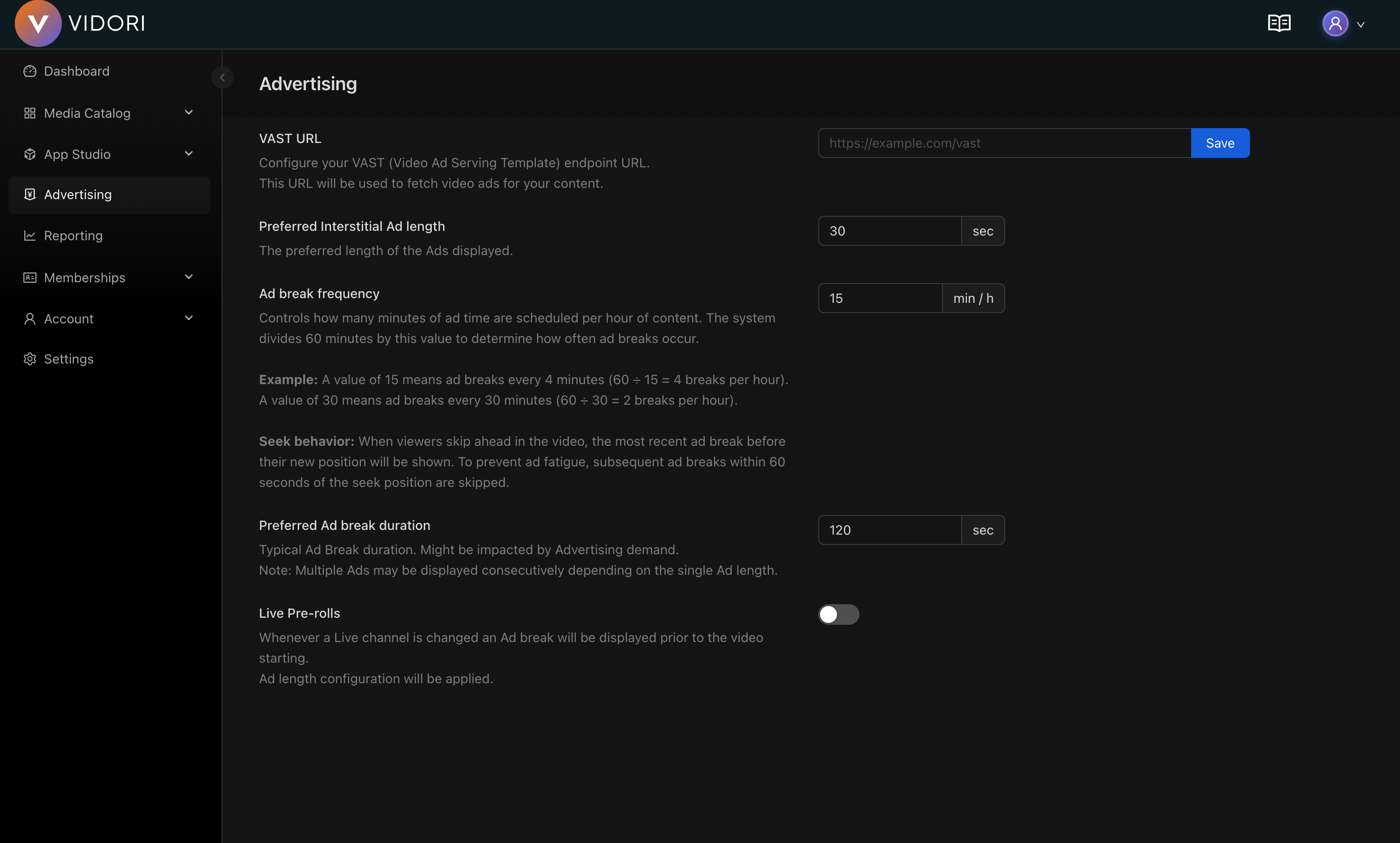
Advertising is a powerful way to monetize your content while keeping it free for viewers. Vidori supports server-side ad insertion (SSAI) for seamless, buffer-free ad experiences.
Ad Types
Section titled “Ad Types”Ads that play before your content starts.
Best practices:
- Keep under 30 seconds total
- Skip option after 5 seconds improves experience
- Higher CPMs than mid-roll
Ads inserted during content playback.
Best practices:
- Insert at natural break points
- Space at least 8 minutes apart
- Avoid interrupting key moments
Ads that play after content ends.
Best practices:
- Lower completion rates
- Good for sequential content (episodes)
- Lower CPMs
Setting Up Ads
Section titled “Setting Up Ads”-
Go to Monetization → Advertising
-
Enable advertising for your platform
-
Configure ad network connections
-
Set up ad pods (pre-roll, mid-roll, post-roll)
-
Define ad policies per content type
-
Test ad playback
Ad Network Integration
Section titled “Ad Network Integration”Google Ad Manager (GAM)
Section titled “Google Ad Manager (GAM)”Most common integration for premium inventory.
-
Create a GAM account at admanager.google.com
-
Set up your ad units
-
In Vidori, go to Advertising → Networks
-
Click Add Network → Google Ad Manager
-
Enter your GAM network code
-
Configure VAST tag settings
Ad Pods Configuration
Section titled “Ad Pods Configuration”Pre-roll Settings
Section titled “Pre-roll Settings”| Setting | Options | Recommendation |
|---|---|---|
| Max duration | 15-60 seconds | 30 seconds |
| Max ads | 1-3 ads | 2 ads |
| Skip option | After X seconds | After 5 seconds |
| Frequency cap | Per session/day | 1 per session |
Analytics
Section titled “Analytics”Track ad performance at Analytics → Advertising:
| Metric | Description |
|---|---|
| Impressions | Total ad views |
| Fill rate | % of requests filled |
| CPM | Revenue per 1000 impressions |
| Completion rate | % watched to end |
| Revenue | Total earnings |